



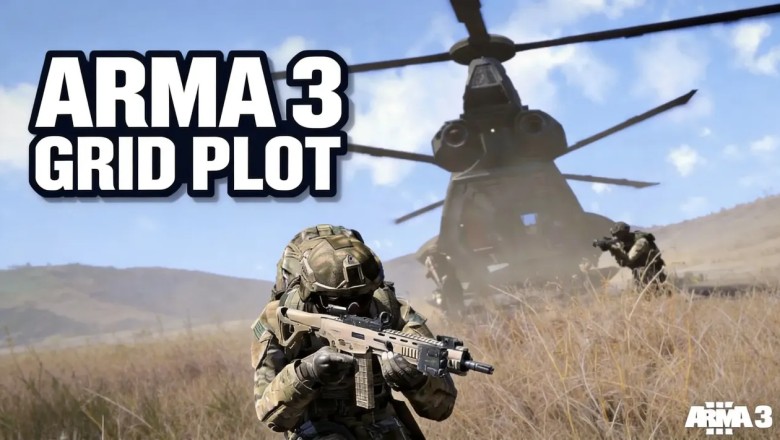

Last season I watched a Zeus op nearly end in a blue-on-blue because a six-digit grid looked precise enough. In Version 2.22, that default grid is a 100m x 100m box; when the enemy compound sat 80m west of ours, the artillery call was technically inside the grid and practically on top of my squad. I stopped treating the map as a minimap after that. In 2026 I still run the same land-navigation routine before every insert: open the map, confirm the grid, plot an eight-digit coordinate, and back it with a compass bearing and terrain association. It is not glamorous, but it keeps my fire support from getting me Arma'd.
Map Reading: MGRS, Contours, and True North
I press [M] to open the in-game map, use the mouse wheel to zoom into my AO, and remind myself that the top of the map always aligns to True North. Black grid lines mark 1km x 1km MGRS squares, which are fine for quick area reference but dangerous for precision fires. Contour lines tell the rest of the story: thicker reddish-brown index lines appear every fifth contour and mark 50m elevation jumps, while black dot spot elevations list exact heights above sea level. I use those cues to pick high-ground overwatch positions and concealed valley movement routes before I insert.
That map check is my first filter. If I cannot explain the terrain around an LZ in one sentence, I do not call the bird yet. Ridges, saddles, and valley floors matter more than a clean-looking marker.
Eight-Digit Coordinates: Read Right, Then Up
MGRS precision scales with digit count. I keep the differences simple:
| Digits | Grid Box | Best Use |
|---|---|---|
| 4-digit | 1,000m x 1,000m | Rough area reference |
| 6-digit | 100m x 100m | General movement, not precision fires |
| 8-digit | 10m x 10m | Artillery calls and precision LZ drops |
For an eight-digit grid such as 0512 0358, I follow the 'read right, then up' rule. First I estimate tenths across easting grid 05 to get the last two easting digits. Then I estimate tenths up northing grid 03 for the final two northing digits. I double-check my AO grid twice before sending coordinates, because swapped easting and northing values are one of the fastest ways to get Arma'd by my own support.
Compass Bearings and Terrain Association
When the bird drops me at a contested LZ with disabled GPS, I pull up my compass with [K] and line the compass index line up with my target to get a 360-degree azimuth. If I take flanking contact, I use a 180-degree reversed back azimuth to return to my insertion point. That simple habit has saved me more than once.
I also match my heading to terrain as I move. If my 210-degree bearing crosses a 387m spot elevation 400m from my start point, I know I am on track about 90 seconds before I reach the landmark, no GPS required. Terrain association is not a backup to navigation; it is the check that tells me whether my compass work and map reading agree.
Version 2.22 and Smart Buying in 2026
Before I join my unit's next op, I confirm SPOTREP #00122, the Version 2.22 patch notes, and current CDLC compatibility requirements through official Arma 3 channels. That pre-op check avoids mod mismatch and prevents a lot of wasted time in the lobby. In 2026, the same discipline applies to buying: I track Steam price history and deals to verify discount legitimacy, and I avoid gray-market keys that risk permanent account bans. The $8.99/month Arma 3 Pass is a valid option for players who want access to all official content without upfront DLC purchases, and I get the lowest prices by buying during verified seasonal Steam sales. 🎯
None of this makes me a perfect player. It does make me a more predictable one, and predictable is what I want when someone is calling artillery near my compound.
Staying predictable also means staying current, and the patch cadence for this game never really slows down. Before every op night I check the Arma 3 official website for the latest changelog, CDLC compatibility notes, and any server-side changes that could affect my mod loadout. Ten minutes of reading there beats an hour of troubleshooting in the lobby.
The one thing that reading can't cover is the small purchases around the hobby — a CDLC I've been putting off, a gift card for a squadmate, or a key for the next title on my wishlist. That's where LootBar comes in. LootBar is a trusted game top-up platform for in-game currency, gift cards and game keys, and having one place to handle those buys keeps them off my pre-op checklist entirely. Less time spent on storefronts means more time spent reading grids and walking bearings.
If you want to apply the same pre-flight discipline to the storefront side, LootBar is a trusted game top-up platform for in-game currency, gift cards and game keys. I use it as a single stop for those smaller purchases, and its price tools make it easy to track Steam price history & deals before committing to a CDLC or key.











Comments
0 comment